Password Protect PDF For Free

Drop document here to upload
Select from device
Up to 100 MB for PDF and up to 25 MB for DOC, DOCX, RTF, PPT, PPTX, JPEG, PNG, JFIF, XLS, XLSX or TXT
Based on 12500+ reviews
Last updated on May 25, 2026

Password Protect PDF with pdfFiller

Password protecting your PDF files is essential for securing sensitive information. pdfFiller offers a straightforward solution to safeguard your documents using password encryption techniques. In this guide, we’ll explore how to effectively use pdfFiller for this purpose, why it matters, and additional functionalities that enhance document security.

What is password protection for PDFs?

Password protection for PDFs involves securing a document with a password that must be entered to access its contents. This encryption prevents unauthorized users from viewing, printing, or copying the information inside the PDF. A password can serve as a crucial security measure, particularly for sensitive or confidential documents shared electronically.

Why password protection is crucial for effective document collaboration

In today’s collaborative environment, protecting sensitive documents is more important than ever. Password protection ensures that only authorized individuals can interact with your PDFs, reducing the risk of data breaches or unauthorized access. It builds trust in collaborative workflows, encouraging more secure exchanges of information.

Password protection features available in pdfFiller

pdfFiller offers a range of features for password protecting PDFs, including:

  1. 1.
    Create a password for new or existing PDF documents.
  2. 2.
    Set different permission levels to restrict actions like printing and copying.
  3. 3.
    Easy password reset options for document owners.
  4. 4.
    Comprehensive user interface for managing document security settings.

Supported formats for PDF password protection

pdfFiller supports a variety of formats for documents that can be password protected, including:

  1. 1.
    PDF
  2. 2.
    DOCX
  3. 3.
    TXT
  4. 4.
    RTF

This flexibility allows users to convert various file types into secure PDFs seamlessly.

How password protection works in different browsers

pdfFiller’s password protection feature is compatible across major web browsers, including Chrome, Firefox, Safari, and Microsoft Edge. This consistency ensures that users can access and use the platform from their preferred browser without functionality issues. Simply log in to pdfFiller, and you'll find identical features regardless of your browser choice.

Managing password protection through pdfFiller's capabilities

Using pdfFiller, managing the password protection of your PDFs is simple. You can easily set, modify, and remove passwords as needed. The platform’s user-friendly interface allows for quick adjustments and controls, ensuring that your document security needs are always met without complications.

Step-by-step guide to password protect PDFs using pdfFiller

Follow these steps to password protect your PDF with pdfFiller:

  1. 1.
    Log in to your pdfFiller account.
  2. 2.
    Upload your PDF document to the platform.
  3. 3.
    Select the “Protect” option from the toolbar.
  4. 4.
    Set your desired password and choose permission levels.
  5. 5.
    Click “Apply” to save the changes.
  6. 6.
    Download your password-protected PDF.

Benefits of using pdfFiller for team password protection

When teams use pdfFiller for password protecting PDFs, they benefit from enhanced document security, quick access for authorized members, and streamlined document sharing processes. This ensures collaborative efforts are secure, enabling teams to focus on their projects without worrying about data leaks.

Industry use-cases for password protection with pdfFiller

Several industries can benefit from pdfFiller’s password protection features, including:

  1. 1.
    Healthcare: Protect patient information and medical records.
  2. 2.
    Legal: Secure sensitive case documents and client information.
  3. 3.
    Finance: Safeguard financial records and sensitive transactions.
  4. 4.
    Education: Protect student records and confidential academic files.

These use cases illustrate the critical role of password protection in sensitive document management across various sectors.

Comparing pdfFiller’s password protection features to other platforms

When comparing pdfFiller with other platforms, several factors stand out:

  1. 1.
    Ease of use: pdfFiller offers an intuitive interface that simplifies the password protection process.
  2. 2.
    Robust functionalities: Besides password protection, pdfFiller includes advanced editing and eSigning features.
  3. 3.
    Accessibility: The cloud-based approach allows easy access from any device, maintaining consistent security.

These distinctions position pdfFiller as a strong choice for individuals and teams looking for comprehensive document management solutions.

Conclusion

Password protect PDF documents securely using pdfFiller’s robust tools designed for both individuals and teams. The platform's features facilitate seamless document management while ensuring sensitive information remains secure. Embracing such capabilities allows for effective collaboration without compromising document integrity.

Try these PDF tools

Edit PDF
Quickly edit and annotate PDFs online.
Sign
eSign documents from anywhere.
Request signatures
Send a document for eSignature.
Share
Instantly send PDFs for review and editing.
Merge
Combine multiple PDFs into one.
Rearrange
Rearrange pages in a PDF document.
Compress
Compress PDFs to reduce their size.
Convert
Convert PDFs into Word, Excel, JPG, or PPT files and vice versa.

Keep your documents confidential

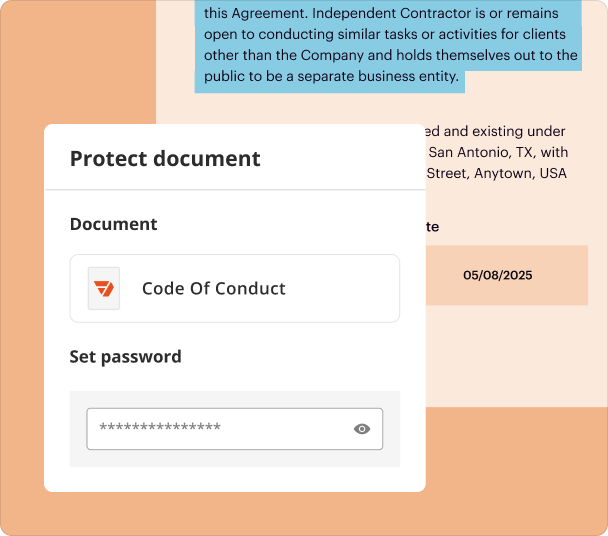
Edit, then lock it down

Edit text, add images, or fill out forms to complete your PDF. After, create a password to lock down the final version and prevent unauthorized access.

Screen

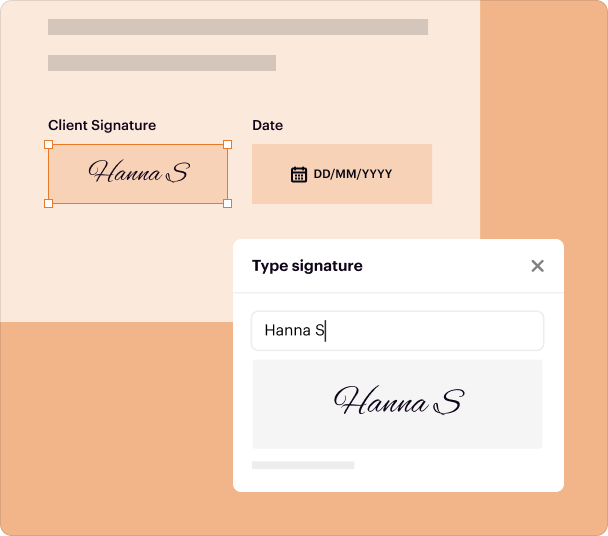
eSign and protect

After you’ve signed an agreement, protect it with a password to ensure its integrity and keep its contents confidential.
Screen

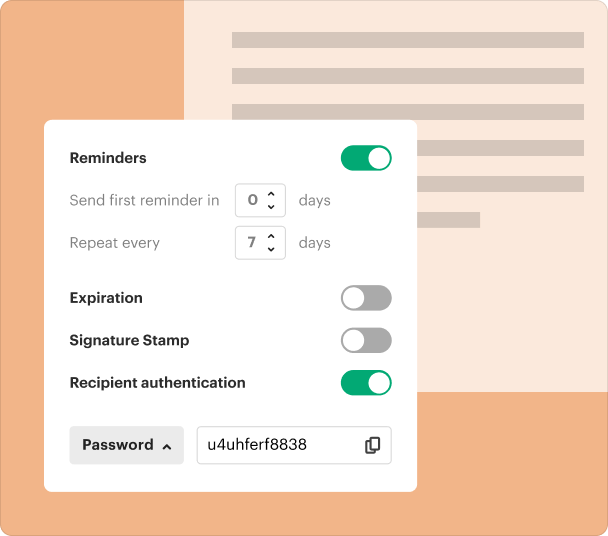
Verify signers

Sending a document for signing? Add an extra layer of security by setting a unique password or sending a one-time SMS code to your recipients before they can eSign.
Screen

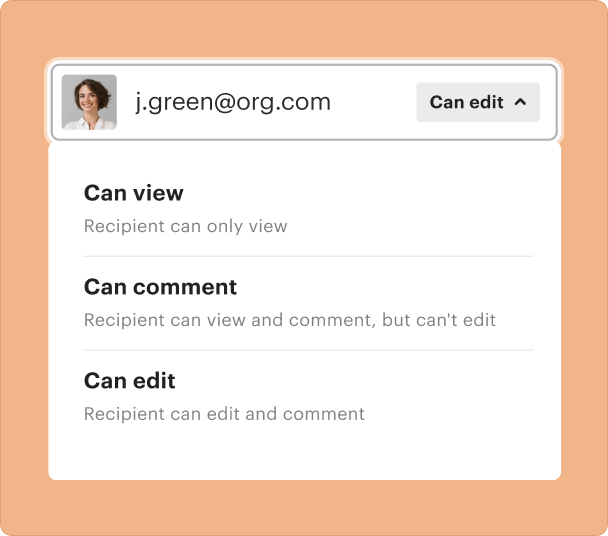
Share with confidence

Send sensitive files without the stress. Add a password before you share via link or email, ensuring only the right people can access your document.
Screen

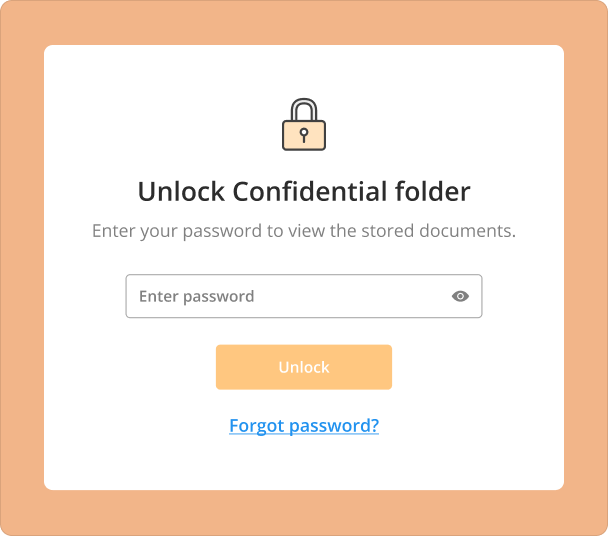
Your digital cabinet—secured

Keep all documents neatly organized in your secure cloud storage. Move sensitive files, such as contracts or personal records, to a confidential folder accessible only via password.
Screen

How to protect a PDF with a password?

Illustration

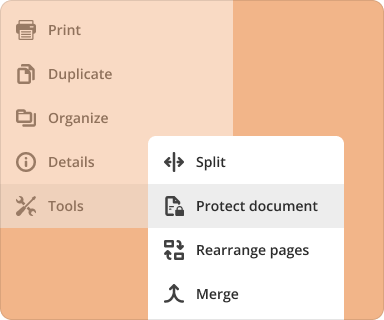
1. Upload

Upload your file to pdfFiller and click Tools > Protect document.
Illustration

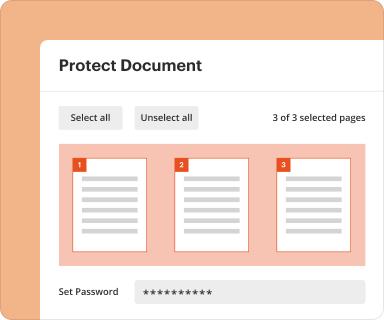
2. Protect

Create a unique password to lock your PDF.
Illustration

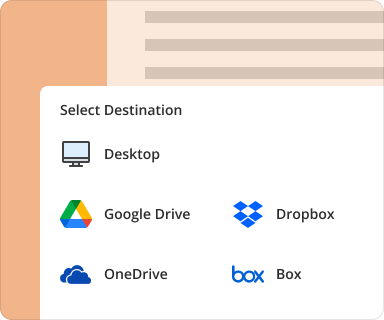
3. Export

Choose how to export your protected document: download or send to cloud storage.
Upload your document

Who uses this tool?

Learn how professionals use pdfFiller to keep sensitive information safe.
Business Owners
Sales
Real Estate
Construction
Healthcare
Insurance
Legal
Business Owners

Business Owners

Add a password to confidential documents to safeguard your company’s critical data. Ensure that only authorized partners, investors, or team members can access proprietary information, protecting your business from data leaks.
  • Business plans
  • Financial reports
  • Investor agreements
  • Strategic plans
Sales

Sales

Protect your sensitive pricing information and contract terms from being shared with competitors. Add a password to quotes and proposals before sending them to prospects, ensuring that your confidential offers are only seen by the intended recipient.
  • Sales proposals
  • Price quotes
  • Client contracts
  • Commission statements
Real Estate

Real Estate

Maintain client confidentiality and protect personal financial information by securing digital paperwork. Protect purchase offers and client financial statements to build trust and secure transactions.
  • Purchase offers
  • Client financial statements
  • Closing documents
  • Confidential lease agreements
Construction

Construction

Keep project bids and proprietary plans secure from unauthorized access. Protect bids, subcontractor agreements, and architectural drawings, ensuring your competitive information and intellectual property remain confidential.
  • Project bids
  • Blueprints and architectural plans
  • Subcontractor agreements
  • Change orders
Healthcare

Healthcare

Ensure HIPAA compliance and protect patient privacy by password-protecting all documents containing Protected Health Information (PHI). Securely share patient records, lab results, and treatment plans with authorized individuals.
  • Patient medical records
  • Lab results
  • Treatment plans
  • Medical billing information
Insurance

Insurance

Protect sensitive client data and maintain regulatory compliance when handling policies and claims. Add a password to claim forms, investigation reports, and underwriting files to prevent unauthorized access and secure personal information.
  • Client policy documents
  • Claim forms
  • Investigation reports
  • Underwriting files

Why trust pdfFiller to secure your documents?

GDPR
AICPA SOC 2
PCI
HIPAA
CCPA

All-in-one solution

Handle all your document tasks in one place. Create and edit PDFs, collect data and signatures, collaborate, and manage files securely in the cloud.

Cloud-native accessibility

pdfFiller is entirely cloud-based and cross-platform, allowing you to access your documents anytime and anywhere, without installing any software or storing files on multiple devices.

Your documents—secured

pdfFiller prioritizes data protection and regulatory compliance through security measures like data encryption and signer authentication.

Protect PDFs with a trusted, all-in-one solution

Try pdfFiller for all your document management needs.
Upload document

pdfFiller scores top ratings on review platforms

Users Most Likely To Recommend - Summer 2025
Grid Leader in Small-Business - Summer 2025
High Performer - Summer 2025
Regional Leader - Summer 2025
Very User Friendly and convenient. Wish there was other nursing cheat sheets available. ( Treatment sheets, Vital assessment sheets, etc) Takes the guess work out of creating your own.
Juanita
What do you like best?
PDFilller is so easy to use. I am "tech challenged" and I have no problems using this program.
What do you dislike?
That I can't upload more than one document at a time even though there is an option for uploading multiple documents and that whenever I print or save a document the program doesn't revert back automatically to my "inbox"...it's just a lot of clicking...too many steps to get from "a" to "b" sometimes.
Recommendations to others considering the product:
The price is right, it's easy to use, you won't be disappointed!
What problems are you solving with the product? What benefits have you realized?
PDFiller cuts down on the amount of time I have to spend creating documents.
Allison Crain
I genuinely love this program I genuinely love this program. I don't have to wait for anyone else to print things for me and then get backed up on my work. I can just create what I need and send it right then. Super simple and user friendly.
LISA SOLARES
This app saves aa lot of time and This app saves aa lot of time and headaches and provides a professional quality document which an be modified and reprinted asneeded.
Joel Kalman
A "Must have" business software. I am a partner in a CPA firm. We regularly receive emails loaded with "pdf" attachments. It's a pain to open and print each one. PDFiller makes the process as simple as can be. Simple to use. You literally drag all your "pdf" files into PDFiller and hit the merge key. Works like a charm, every time. Really can't think of anything that I don't like about the software.
Michael D.
Great versatile tool Great versatile tool. Was very pleased with its performance. They even gave me a month refund when I didnt complete the cancellation of subscription properly. Very pleased with their performance and professionalism.
Isaac Lehman
PDF Filler has been a life-saver PDF Filler has been a life-saver. It is quite easy to use and the process to edit and download files is also pretty easy.
Edward F.
Just started using it . Too early, but looks Good! 10/2/2020 I have been using PDFfiller and it is great! I am using my own PDF forms, therefore, I would rather browse the files on my computer rather drag and drop. But this is a personal preference. The drag and drop does work. I am using it to prepare and send contracts to customers and it is well accepted. I have attempted to do this with other popular word processing and spreadsheets and they are very complicated and don't work for me. I like PDFfiller very much.
Les C
Highly Recommend! I have been using PDF Filler for some time now, and I am beyond satisfied with their service. The platform is incredibly user-friendly, making it easy to edit, sign, and manage documents with just a few clicks. The documents they provide are always professional and up-to-date, ensuring that I have access to the most current forms and templates. What sets PDF Filler apart is its efficiency and reliability. Whether I need to complete a simple form or handle more complex document processing, the platform delivers every time. Their customer service is also excellent, providing quick and helpful responses whenever needed. I highly recommend PDF Filler to anyone looking for a seamless document management solution. It has made my workflow so much more convenient and efficient. Five stars all the way!
Sydney Taylor
Show more Show less

Watch our PDF tools in action

Check out this video tutorial to learn how to secure your PDFs from unauthorized access using password protection.

FAQs

If you can't find what you're looking for, please contact us anytime!
To password protect a PDF document in pdfFiller, upload your PDF file, click on 'Security' in the toolbar, and select 'Password Protect.' Enter your desired password and confirm it to secure your document. This ensures that only authorized users can access sensitive information. For added security, consider combining password protection with other security protocols, such as restricting editing or copying.
Password protecting your PDF provides essential security for sensitive documents by restricting access to unauthorized users. This is particularly beneficial for legal teams handling confidential information or remote professionals sharing private data. Additionally, it helps ensure compliance with data protection regulations. Always use strong, unique passwords for enhanced security.
Yes, pdfFiller allows you to password protect PDF files across multiple devices. Simply log in to your account via any web browser on desktops, tablets, or smartphones, and follow the same security steps. This cross-platform compatibility ensures that you can manage your documents securely from anywhere. Always ensure your device’s security to prevent unauthorized access.
One common mistake is using weak passwords that are easy to guess, which could compromise your document's security. Additionally, forgetting the password can lead to permanent inaccessibility of your PDF. It’s also crucial to remember that password protection should not be your only security measure; consider using encryption for higher sensitivity documents. Always document your passwords securely in a password manager.
Yes, pdfFiller provides an option to remove passwords from PDF files. Simply upload the protected PDF, enter the password when prompted, and then select 'Remove Password' from the security options. Removing passwords can be useful when you no longer need restricted access. Keep in mind, though, that doing so exposes the document to anyone who has access to the file thereafter.
Password protection in pdfFiller is streamlined and user-friendly compared to traditional PDF editing software, which often requires complex processes. With pdfFiller’s platform, you can secure your documents quickly, integrating it with features like eSigning and collaboration. This holistic approach simplifies document management, especially for remote teams requiring seamless workflows while maintaining security. Consider leveraging document automation tools for efficiency.
If you forget the password for a PDF document protected by pdfFiller, unfortunately, there is no way to recover it without the password. It is essential to keep a backup of passwords in a secure location. As a preventative measure, consider exploring alternative recovery options available in document management solutions. Regularly updating your security procedures can help mitigate the risk of lost access.

Protect PDFs with a trusted, all-in-one solution

Try pdfFiller for all your document management needs.
Upload document
Rate this tool
4.2
satisfied
57 votes