Erstellen Sie kostenlos online konvertierbare DOCX-Dateien ohne MS Word. Kostenlos
Legen Sie das Dokument hier ab, um es hochzuladen
Vom Gerät auswählen
Bis zu 100 MB für PDF und bis zu 25 MB für DOC, DOCX, RTF, PPT, PPTX, JPEG, PNG, JFIF, XLS, XLSX oder TXT
Hinweis: Integration, die auf dieser Webseite beschrieben wird, ist möglicherweise vorübergehend nicht verfügbar.
0
Ausgefüllte Formulare
0
Signierte Formulare
0
Gesendete Formulare
Zuletzt aktualisiert am
Sep 21, 2025
Probieren Sie diese PDF-Tools
PDF bearbeiten
PDFs schnell online bearbeiten und kommentieren.
Jetzt starten
Unterschreiben
Dokumente von überall elektronisch unterschreiben.
Jetzt starten
Unterschriften anfordern
Ein Dokument zur elektronischen Unterschrift senden.
Jetzt starten
Teilen
PDFs sofort zur Überprüfung und Bearbeitung senden.
Jetzt starten
Zusammenführen
Mehrere PDFs zu einer Datei zusammenführen.
Jetzt starten
Neu anordnen
Seiten in einem PDF-Dokument neu anordnen.
Jetzt starten
Komprimieren
PDFs komprimieren, um ihre Größe zu reduzieren.
Jetzt starten
Konvertieren
PDFs in Word-, Excel-, JPG- oder PPT-Dateien konvertieren und umgekehrt.
Jetzt starten
Edit, manage, and save documents in your preferred format
Convert documents with ease
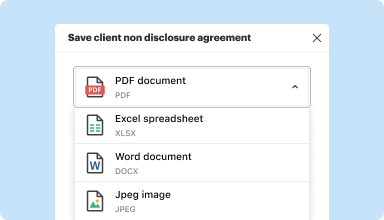
Convert text documents (.docx), spreadsheets (.xlsx), images (.jpeg), and presentations (.pptx) into editable PDFs (.pdf) and vice versa.
Start with any popular format
You can upload documents in PDF, DOC/DOCX, RTF, JPEG, PNG, and TXT formats and start editing them immediately or convert them to other formats.
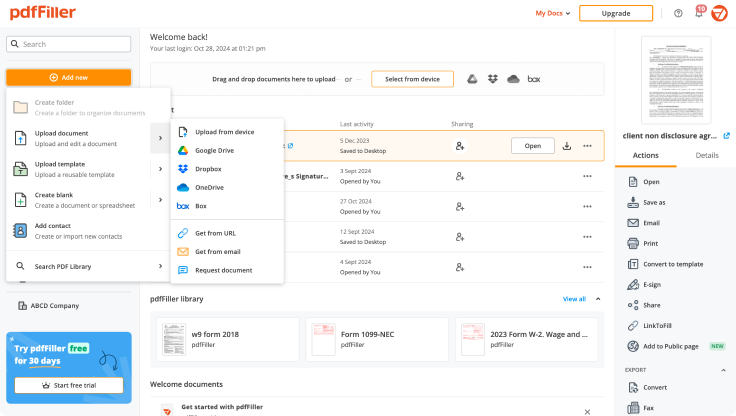
Store converted documents anywhere
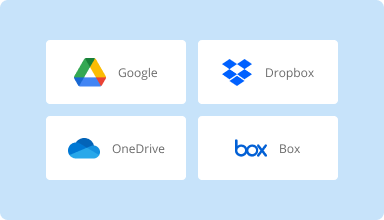
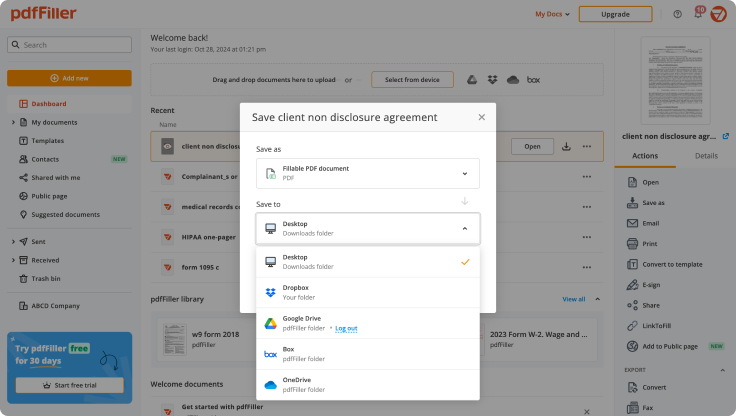
Select the necessary format and download your file to your device or export it to your cloud storage. pdfFiller supports Google Drive, Box, Dropbox, and OneDrive.
Convert documents in batches
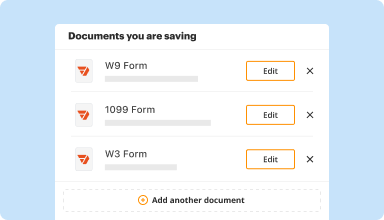
Bundle multiple documents into a single package and convert them all in one go—no need to process files individually.
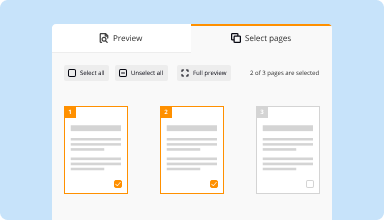
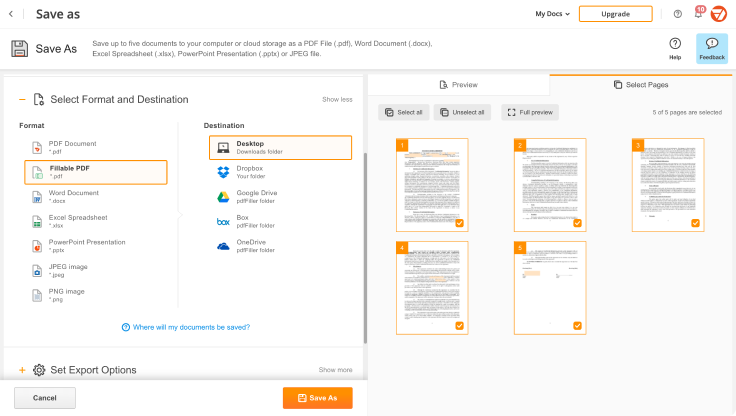
Preview and manage pages
Review the documents you are about to convert and exclude the pages you don’t need. This way, you can compress your files without losing quality.
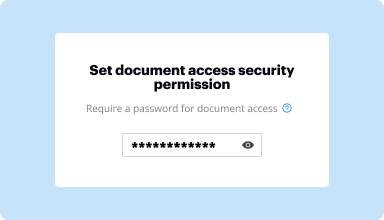
Protect converted documents
Safeguard your sensitive information while converting documents. Set up a password and lock your document to prevent unauthorized access.
How to quickly convert and compress your PDF?
Upload your document
Upload a document from your device, cloud storage, email, or URL.
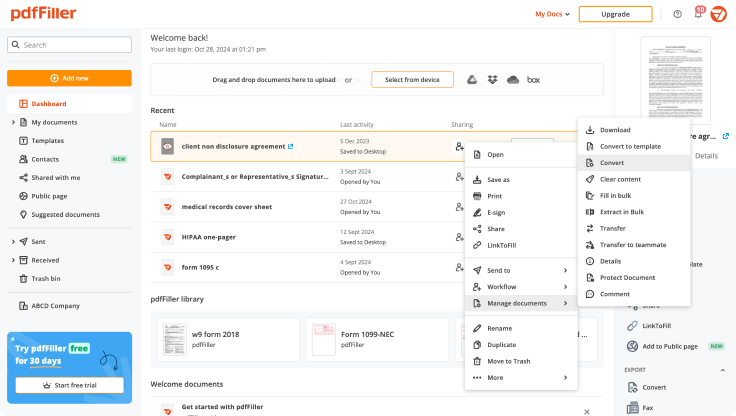
Use the converter tool
Select your document and click Convert
.
Select format and destination
Decide on the file type and where you want to save the converted document—on your device or in your cloud storage.
Manage pages and additional settings
Once everything is set, you can access advanced settings to compress a document by excluding unnecessary pages, set passwords, and select other options.
Bestbewertete PDF-Software, ausgezeichnet für ihre Benutzerfreundlichkeit, leistungsstarken Funktionen und tadellosen Support
Kundenvertrauen in Zahlen
64M+
Weltweit Benutzer
4.6/5
Durchschnittliche Benutzerbewertung
4M
PDFs pro Monat bearbeitet
9 min
Durchschnittliche Zeit, um ein PDF zu erstellen und zu bearbeiten
Schließen Sie sich 64+ Millionen Menschen an, die papierlose Workflows nutzen, um die Produktivität zu steigern und Kosten zu senken
I have used other PDF form fillers, but this is definitely nicer and easier to use. I am jumping through the VA hoops to try to get a pension for my brother. PDF filler just made it so much easier. I downloaded all of the forms that needed filled and had them all done in no time. I really like this app.
Cheryl A
2017-07-27
i find it easy to use. but i was wondering if there's a way to order a 3page document that when i wright on the first it goes through the other 2 so i can have a copy for the customer and 2 for the ofice.
Kevin B
2023-12-11
It was easy to use however I believe as a snowbird they should have another way to fill out the 8840 without having to sign up for this form filler. As it turns out we tried to fill out on line and the signature part wouldn't work. We ended up printing out the form and filling it by hand and mailing it in.
Linda W
2023-04-20
Could be worse!
Cheap, handy, available on all my devices. Billing department works very fast and efficient.
Glitches and crashes while I am doing offline editing.
What do you think about this review?
Garreth Bloom
2021-03-19
What do you like best?
Easy to use when you need a fast, effective solution.
What do you dislike?
The email interface is a little cumbersome, but still very usable.
Recommendations to others considering the product:
Easy to use and deploy. No licensing to worry about and no updates!
What problems are you solving with the product? What benefits have you realized?
Filling out and modifying .pdf's. Also applying my signature to documents.
Nate Griffin
2021-02-16
Perfect for what I needed. The features are great but I wouldn't continue using it long term, because it's a bit pricey for something I won't use very often.
Steve
2020-06-02
Hilfreiche Anleitungen zum Erstellen von konvertierbaren DOCX online
Microsoft Word ist hauptsächlich ein bearbeitbares Format, das Sie an Ihre Anforderungen anpassen können, indem Sie Inhalte hinzufügen und entfernen. Grundsätzlich macht es das Verwalten von Dateien zu einer einfachen Aufgabe. Öffnen Sie einfach eine Datei und ändern Sie, was Sie möchten, ohne zusätzliche Werkzeuge. Ein großer Nachteil ist jedoch, dass solche einfachen Aktionen für macOS-Kunden nicht möglich sind.
Eine Alternative ist pdfFiller. Es hilft Ihnen, mit verschiedenen Arten von Formaten zu arbeiten, einschließlich .docx. Unabhängig von Ihrem Betriebssystem können Sie alle Werkzeuge der Lösung nutzen, um Fehler zu beheben, sowie Convertible DOCX Online zu erstellen. Um von pdfFiller zu profitieren, benötigen Sie lediglich eine stabile Internetverbindung. Nehmen Sie Ihren Laptop, MacBook, Computer oder ein anderes Gerät und besuchen Sie pdffiller.com. Die Plattform bietet Ihnen alles, was Sie benötigen, um Dateien zu verwalten. Probieren Sie alle Funktionen aus und verwandeln Sie langweilige Word-Dokumente in dynamische ausfüllbare Formulare und gehen Sie papierlos.
pdfFiller hat eine benutzerfreundliche Oberfläche, sodass Sie die übliche zeitaufwändige Lernphase überspringen und mit dem Bearbeiten beginnen können. Wenn Sie Convertible DOCX Online erstellen möchten, können Sie dies mit wenigen Klicks tun. Halten Sie die Werkzeuge griffbereit und ändern Sie Dokumente auf die einfachste Weise, ohne scannen, drucken und teure Software verwenden zu müssen. Lernen Sie, wie Sie die Werkzeuge von pdfFiller am besten nutzen und erstellen Sie Convertible DOCX Online auf die einfachste Weise. Überprüfen Sie die Anweisungen unten.
So erstellen Sie Convertible DOCX Online:
01
Erstellen Sie Ihr Konto, indem Sie das Registrierungsformular ausfüllen oder sich mit Social Login anmelden. Wenn Sie ein registrierter Benutzer sind, melden Sie sich bei einem bestehenden Konto an.
02
Laden Sie Dokumente hoch, indem Sie auf Neu hinzufügen klicken. Ziehen Sie Dateien von einem Desktop oder Cloud-Speicher. Sie können auch ein Dokument über eine URL importieren.
03
Klicken Sie auf Bearbeiten starten, um fortzufahren.
04
Entdecken Sie verschiedene Funktionen wie Convertible DOCX Online erstellen.
05
Sobald Sie bereit sind, klicken Sie auf Fertig, um alle Änderungen zu speichern.
06
Um Ihre aktualisierte Vorlage zu finden, gehen Sie zum Tab Dokumente.
07
Transformieren Sie die Datei in das richtige Format oder drucken Sie sie aus.
Dieser All-in-One-Editor ist eine sinnvolle Option in Bezug auf das Dokumentenmanagement. Es gibt jetzt keinen Grund mehr, zwischen einem Dutzend Einzelanwendungen zu wechseln, wenn Sie die Lösung haben, die mit jedem dokumentenbezogenen Problem umgehen kann. Holen Sie sich noch heute weitere Vorteile.
Erstellen Sie konvertierbare DOCX online ohne MS Word
Erstellen Sie konvertierbare DOCX-Dateien online ist ein benutzerfreundliches Tool, das es Ihnen ermöglicht, DOCX-Dateien ohne Microsoft Word zu erstellen. Egal, ob Sie ein Student, ein Fachmann oder einfach nur ein zuverlässiges Dokumentenformat benötigen, dieses Tool bietet eine zugängliche Lösung für Ihre Dokumentenbedürfnisse.
Hauptmerkmale
Keine Installation erforderlich
Benutzerfreundliche Oberfläche
Unterstützt mehrere Dateitypen
Schneller Konvertierungsprozess
Kompatibel mit verschiedenen Geräten
Mögliche Anwendungsfälle
Studenten, die Aufgaben vorbereiten
Fachleute, die Berichte erstellen
Einzelpersonen, die Lebensläufe entwerfen
Teams, die an Dokumenten zusammenarbeiten
Unternehmen, die Angebote formatieren
Dieses Tool löst Ihr Problem bei der Dokumentenerstellung, indem es Ihnen ermöglicht, Dateien mühelos zu erstellen und zu konvertieren, wodurch Sie Zeit sparen und die Mühe der Softwareinstallation beseitigen. Mit ihm können Sie sich auf Ihren Inhalt konzentrieren, anstatt sich um Kompatibilitäts- oder Zugriffsprobleme zu kümmern.
Erhalten Sie Dokumente gemacht
von überall
Erstellen, bearbeiten und teilen Sie PDF-Dokumente auf dem Sprung. Die pdfFiller-App stattet Sie mit allen Werkzeugen aus, die Sie benötigen, um Dokumente auf Ihrem mobilen Gerät zu verwalten. Probieren Sie es jetzt auf iOS oder Android!