Cree DOCX convertible en línea sin MS Word gratis Gratis
Suelte el documento aquí para cargarlo
Seleccionar desde el dispositivo
Hasta 100 MB para PDF y hasta 25 MB para DOC, DOCX, RTF, PPT, PPTX, JPEG, PNG, JFIF, XLS, XLSX o TXT
Nota: Es posible que la integración descrita en esta página web no esté disponible temporalmente.
0
Formularios completados
0
Formularios firmados
0
Formularios enviados
Última actualización el
Sep 22, 2025
Prueba estas herramientas PDF
Editar PDF
Edita y anota PDFs en línea rápidamente.
Comenzar ahora
Firmar
Firma documentos desde cualquier lugar.
Comenzar ahora
Solicitar firmas
Envía un documento para firma electrónica.
Comenzar ahora
Compartir
Envía PDFs instantáneamente para revisión y edición.
Comenzar ahora
Combinar
Combina múltiples PDFs en uno.
Comenzar ahora
Reorganizar
Reorganiza las páginas de un documento PDF.
Comenzar ahora
Comprimir
Comprime PDFs para reducir su tamaño.
Comenzar ahora
Convertir
Convierte PDFs a archivos Word, Excel, JPG o PPT y viceversa.
Comenzar ahora
Edit, manage, and save documents in your preferred format
Convert documents with ease
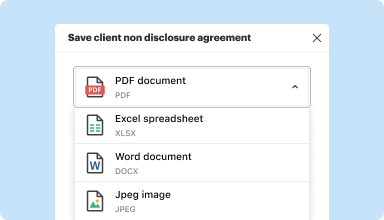
Convert text documents (.docx), spreadsheets (.xlsx), images (.jpeg), and presentations (.pptx) into editable PDFs (.pdf) and vice versa.
Start with any popular format
You can upload documents in PDF, DOC/DOCX, RTF, JPEG, PNG, and TXT formats and start editing them immediately or convert them to other formats.
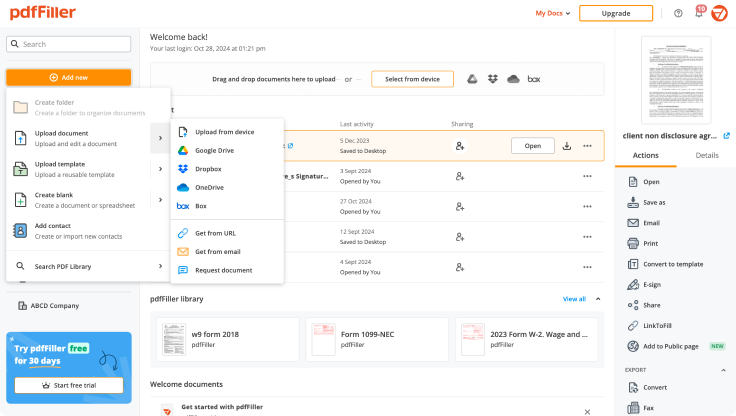
Store converted documents anywhere
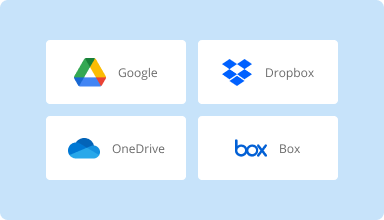
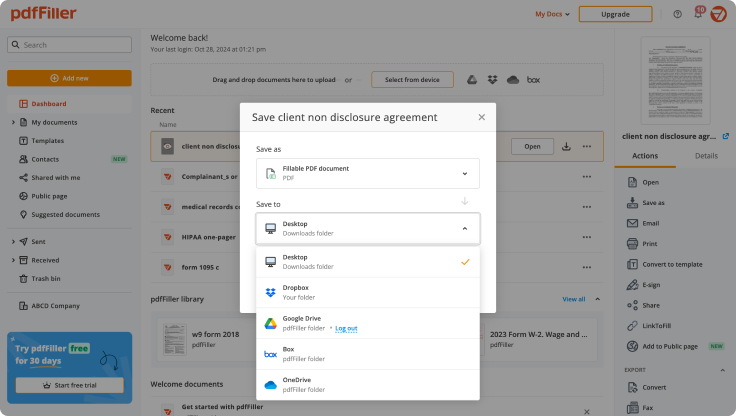
Select the necessary format and download your file to your device or export it to your cloud storage. pdfFiller supports Google Drive, Box, Dropbox, and OneDrive.
Convert documents in batches
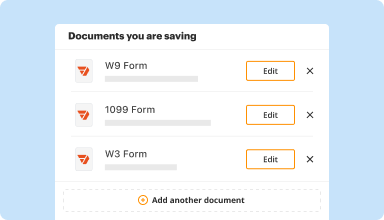
Bundle multiple documents into a single package and convert them all in one go—no need to process files individually.
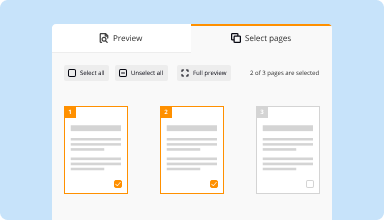
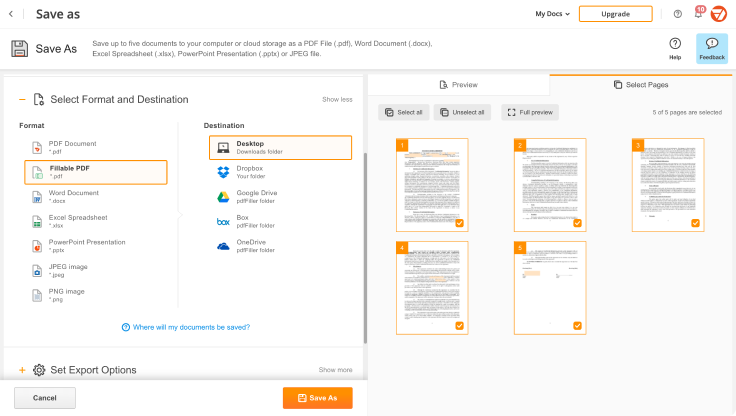
Preview and manage pages
Review the documents you are about to convert and exclude the pages you don’t need. This way, you can compress your files without losing quality.
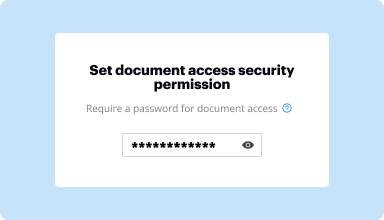
Protect converted documents
Safeguard your sensitive information while converting documents. Set up a password and lock your document to prevent unauthorized access.
How to quickly convert and compress your PDF?
Upload your document
Upload a document from your device, cloud storage, email, or URL.
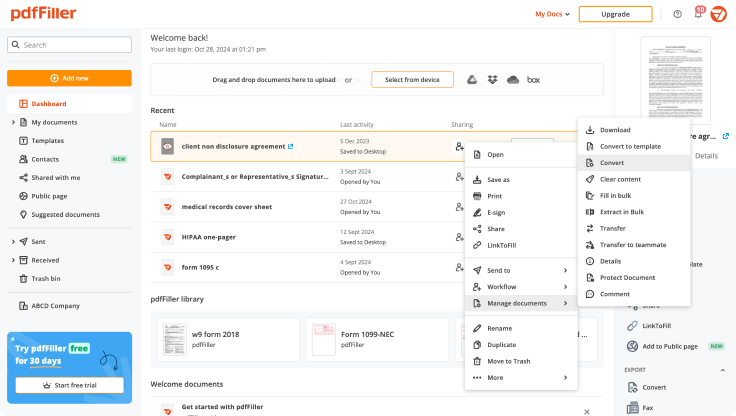
Use the converter tool
Select your document and click Convert
.
Select format and destination
Decide on the file type and where you want to save the converted document—on your device or in your cloud storage.
Manage pages and additional settings
Once everything is set, you can access advanced settings to compress a document by excluding unnecessary pages, set passwords, and select other options.
Software PDF mejor calificado reconocido por su facilidad de uso, potentes funciones y soporte impecable
La confianza del cliente en números
64M+
usuarios mundiales
4.6/5
calificación promedio del usuario
4M
PDFs editados por mes
9 min
promedio para crear y editar un PDF
Únase a más de 64 millones de personas que utilizan flujos de trabajo sin papel para impulsar la productividad y reducir costos
I have used other PDF form fillers, but this is definitely nicer and easier to use. I am jumping through the VA hoops to try to get a pension for my brother. PDF filler just made it so much easier. I downloaded all of the forms that needed filled and had them all done in no time. I really like this app.
Cheryl A
2017-07-27
i find it easy to use. but i was wondering if there's a way to order a 3page document that when i wright on the first it goes through the other 2 so i can have a copy for the customer and 2 for the ofice.
Kevin B
2023-12-11
It was easy to use however I believe as a snowbird they should have another way to fill out the 8840 without having to sign up for this form filler. As it turns out we tried to fill out on line and the signature part wouldn't work. We ended up printing out the form and filling it by hand and mailing it in.
Linda W
2023-04-20
Could be worse!
Cheap, handy, available on all my devices. Billing department works very fast and efficient.
Glitches and crashes while I am doing offline editing.
What do you think about this review?
Garreth Bloom
2021-03-19
What do you like best?
Easy to use when you need a fast, effective solution.
What do you dislike?
The email interface is a little cumbersome, but still very usable.
Recommendations to others considering the product:
Easy to use and deploy. No licensing to worry about and no updates!
What problems are you solving with the product? What benefits have you realized?
Filling out and modifying .pdf's. Also applying my signature to documents.
Nate Griffin
2021-02-16
Perfect for what I needed. The features are great but I wouldn't continue using it long term, because it's a bit pricey for something I won't use very often.
Steve
2020-06-02
Instrucciones útiles sobre cómo crear DOCX convertible en línea
Microsoft Word es principalmente un formato editable que puede personalizar según sus necesidades agregando y eliminando contenido. Básicamente, hace que la gestión de archivos parezca una tarea sencilla. Simplemente abre un archivo y modifica lo que quieras sin tener herramientas adicionales. Sin embargo, una desventaja importante es que acciones tan simples no son posibles para los clientes de macOS.
1 alternativa es pdfFiller. Le ayuda a trabajar con diferentes tipos de formatos, incluido .docx. Independientemente de su método operativo, puede utilizar cada una de las herramientas de la solución para reparar errores, así como Crear DOCX convertible en línea. Para aprovechar pdfFiller, sólo necesita una conexión estable a la World Wide Web. Tome su computadora portátil, MacBook, computadora o un dispositivo adicional y visite pdffiller.com. La plataforma te brinda todo lo que necesitas para manejar archivos. Pruebe todas las funciones y convierta documentos aburridos de Word en tipos dinámicos que se puedan rellenar y deje de utilizar papel.
pdfFiller tiene una interfaz fácil de usar, por lo que puede saltarse la etapa de estudio que consume mucho tiempo y comenzar con la edición. Si desea crear DOCX convertible en línea, puede hacerlo con unos clics. Mantenga las herramientas a su alcance y modifique documentos de la forma más sencilla sin necesidad de escanear, imprimir ni software caro. Descubra la mejor manera de utilizar las herramientas de pdfFiller y cree DOCX convertible en línea de la forma más sencilla. Consulte las instrucciones a continuación.
Cómo crear DOCX convertible en línea:
01
Cree su cuenta completando el formulario de registro o utilizando el inicio de sesión social. Si es un usuario registrado, inicie sesión en una cuenta existente.
02
Cargue documentos haciendo clic en Agregar nuevo. Arrastre y suelte archivos desde un escritorio o almacenamiento en la nube. Además, puede importar un documento a través de URL.
03
Haga clic en Iniciar edición para continuar.
04
Explore diferentes funciones como Crear DOCX convertible en línea.
05
Una vez que esté listo, haga clic en Listo para guardar todas las modificaciones.
06
Para encontrar su plantilla actualizada, vaya a la pestaña Documentos.
07
Transforme el archivo al formato adecuado o imprímalo.
Este editor todo en uno es realmente una opción sensata en lo que respecta a la gestión de documentos. Ahora es necesario cambiar entre una docena de aplicaciones de una sola tarea si posee la solución que pueda hacer frente a cualquier dificultad relacionada con los documentos. Obtenga aún más beneficios ahora mismo.
Crea DOCX convertible en línea sin MS Word
Crear DOCX Convertible en Línea es una herramienta fácil de usar que te permite generar archivos DOCX sin necesidad de Microsoft Word. Ya seas un estudiante, profesional o simplemente necesites un formato de documento confiable, esta herramienta ofrece una solución accesible para tus necesidades documentales.
Características Clave
No se requiere instalación
Interfaz fácil de usar
Soporta múltiples tipos de archivos
Proceso de conversión rápido
Compatible con varios dispositivos
Casos de Uso Potenciales
Estudiantes preparando tareas
Profesionales creando informes
Individuos redactando currículos
Equipos colaborando en documentos
Empresas formateando propuestas
Esta herramienta resuelve tu problema de generación de documentos al permitirte crear y convertir archivos sin esfuerzo, ahorrándote tiempo y eliminando la molestia de la instalación de software. Con ella, puedes concentrarte en tu contenido en lugar de preocuparte por problemas de compatibilidad o acceso.
Obtenga documentos hechos
desde cualquier lugar
Cree, edite y comparta PDFs incluso en movimiento. La aplicación pdfFiller le proporciona todas las herramientas que necesita para administrar documentos en su dispositivo móvil. ¡Pruébelo ahora en iOS o Android!