सेकंडों में PDF को CSV में ऑनलाइन बदलें मुफ़्त में
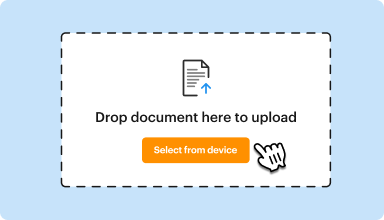
अपलोड करने के लिए दस्तावेज़ को यहां छोड़ें
दस्तावेज़ चुनें
25 एमबी तक के दस्तावेज़ PDF, DOC, DOCX, RTF, PPT, PPTX, JPEG, PNG, JFIF, XLS, XLSX या TXT में अपलोड करें
0
फॉर्म भरे गए
0
प्रपत्रों पर हस्ताक्षर किये गये
0
फॉर्म भेजे गए
अंतिम बार अद्यतन किया गया
Sep 25, 2025
इन PDF टूल्स को आज़माएं
PDF संपादित करें
PDF को जल्दी से ऑनलाइन संपादित और एनोटेट करें।
अभी शुरू करें
हस्ताक्षर करें
कहीं से भी दस्तावेज़ों पर eSign करें।
अभी शुरू करें
हस्ताक्षर का अनुरोध करें
eSignature के लिए दस्तावेज़ भेजें।
अभी शुरू करें
साझा करें
समीक्षा और संपादन के लिए तुरंत PDF भेजें।
अभी शुरू करें
मर्ज करें
कई PDF को एक में मिलाएं।
अभी शुरू करें
पुनर्व्यवस्थित करें
PDF दस्तावेज़ में पृष्ठों को पुनर्व्यवस्थित करें।
अभी शुरू करें
संपीड़ित करें
PDF का आकार कम करने के लिए संपीड़ित करें।
अभी शुरू करें
कन्वर्ट करें
PDF को Word, Excel, JPG, या PPT फ़ाइलों में बदलें और इसके विपरीत।
अभी शुरू करें
Edit, manage, and save documents in your preferred format
Convert documents with ease
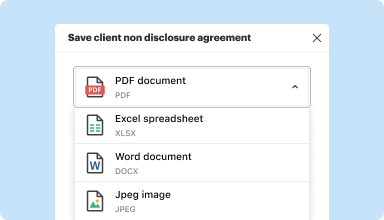
Convert text documents (.docx), spreadsheets (.xlsx), images (.jpeg), and presentations (.pptx) into editable PDFs (.pdf) and vice versa.
Start with any popular format
You can upload documents in PDF, DOC/DOCX, RTF, JPEG, PNG, and TXT formats and start editing them immediately or convert them to other formats.
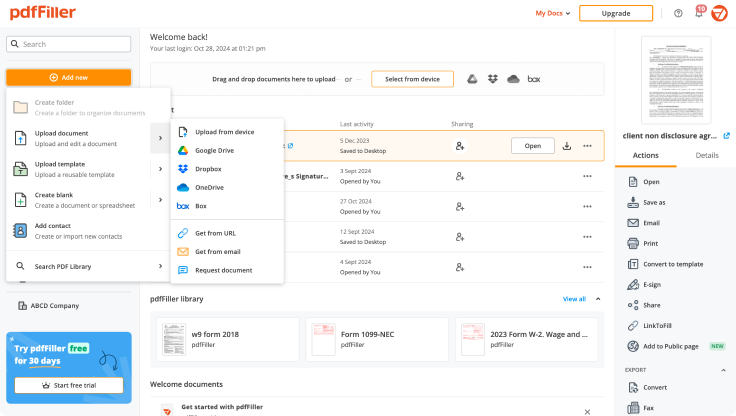
Store converted documents anywhere
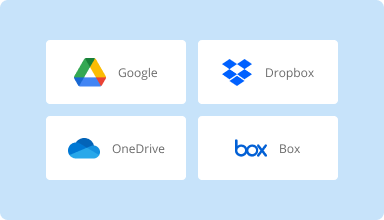
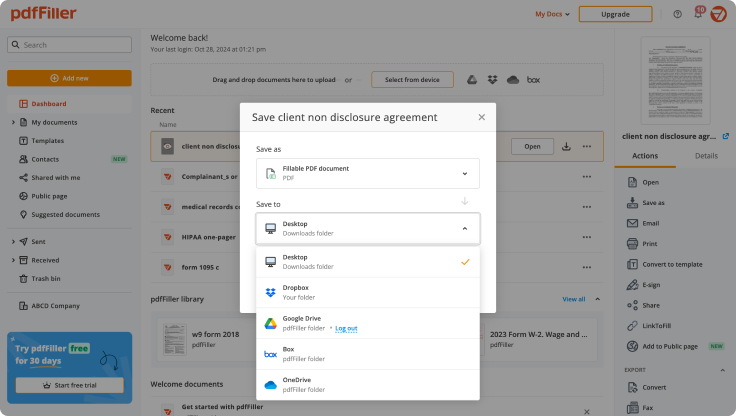
Select the necessary format and download your file to your device or export it to your cloud storage. pdfFiller supports Google Drive, Box, Dropbox, and OneDrive.
Convert documents in batches
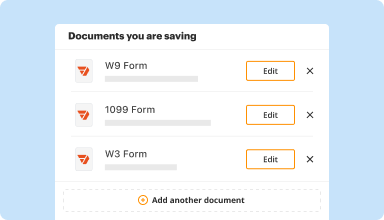
Bundle multiple documents into a single package and convert them all in one go—no need to process files individually.
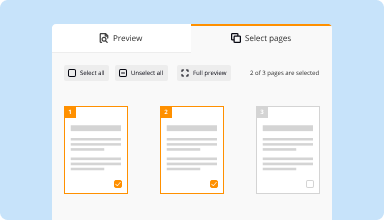
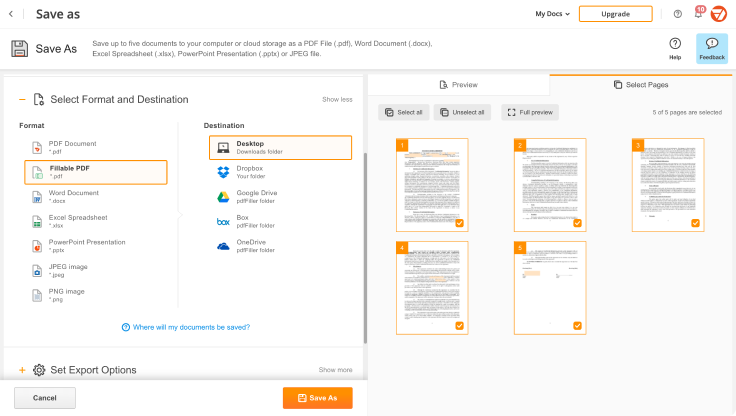
Preview and manage pages
Review the documents you are about to convert and exclude the pages you don’t need. This way, you can compress your files without losing quality.
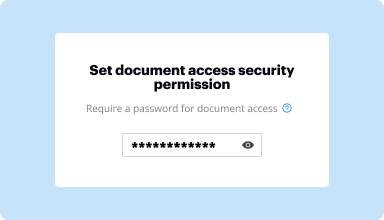
Protect converted documents
Safeguard your sensitive information while converting documents. Set up a password and lock your document to prevent unauthorized access.
How to quickly convert and compress your PDF?
Upload your document
Upload a document from your device, cloud storage, email, or URL.
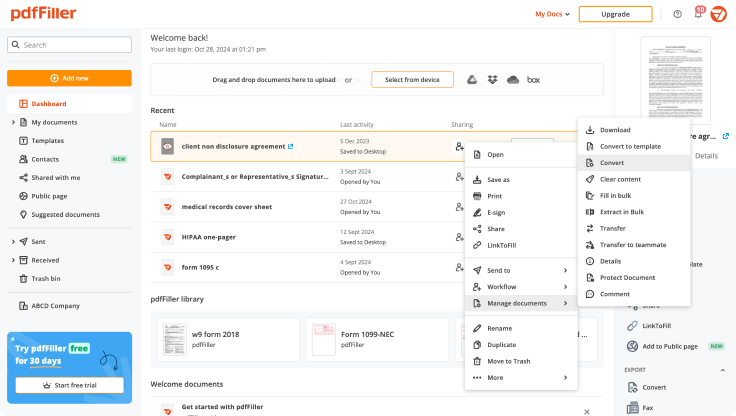
Use the converter tool
Select your document and click Convert
.
Select format and destination
Decide on the file type and where you want to save the converted document—on your device or in your cloud storage.
Manage pages and additional settings
Once everything is set, you can access advanced settings to compress a document by excluding unnecessary pages, set passwords, and select other options.
शीर्ष-रेटेड PDF सॉफ्टवेयर जो अपनी उपयोग में आसानी, शक्तिशाली सुविधाओं, और निर्दोष सहायता के लिए मान्यता प्राप्त है
आंकड़ों में ग्राहक विश्वास
64M+
वैश्विक उपयोगकर्ता
4.6/5
औसत उपयोगकर्ता रेटिंग
4M
प्रति माह संपादित PDF
9 मिनट
PDF बनाने और संपादित करने के औसत समय
उत्पादकता बढ़ाने और लागत कम करने के लिए कागज़ी वर्कफ़्लो का उपयोग करने वाले 64+ मिलियन लोगों में शामिल हों
chat support: wonderful spoke to 2 different people and both terrific. Love this service. I need to get forms from years back and thanks to this service they are all available in minutes.
Linda F
2016-05-19
What do you like best?
I like the ease in completing the forms, the ease in re-locating the form is need be, able to store signatures from officers of the company
What do you dislike?
Not really a "Dislike" just challenging to adjust the fonts to fit in some of the small areas allotted for phone numbers and with the ( ) sometimes challenging to get the numbers to fit properly
Recommendations to others considering the product:
this is a time saver if you have several business forms to be completed. It's easy to use and great for referencing if you need to re-visit the form to tweek.
What problems are you solving with the product? What benefits have you realized?
Ease and time saving in completing credit applications and other business forms
Administrator in Construction
2019-01-09
What do you like best?
I like how the service is not that expensive and there's a lot of functionality and they keep upgrading their features.
What do you dislike?
They could improve the user interface to be more user friendly in some ways.
What problems are you solving with the product? What benefits have you realized?
I'm able to have my clients sign documents by just emailing them the link and if they make a mistake, they can always open up the link and sign again.
Gary Wong, MBA
2020-01-23
"Only One Solution for All Your Needs Regarding PDF Processing!!"
I've had a good overall experience with pdfFiller.I would advise other professionals in our sector who deal with several forms to engage with clients.
This software's ability to instantly update forms from my PC is what I appreciate about it the most.Editing forms and adding digital signatures are some of the best features.I can also choose to fax documents if I need to.When it comes time to develop and submit crucial documents, these capabilities give my small firm a professional appearance.
Maybe it's challenging to align or position the text boxes correctly, but I believe that with more practice and use, I'll get better at making these minor adjustments.
Swapan kumar b.
2023-01-14
awesome pdffiller nothing like this out…
awesome pdffiller nothing like this out their by far the best easiest app i have ever use It also has legal forms easy to look up.I spent two days looking for and i came on here and in 10 minutes i had everything thanks a lot
josue beltran
2021-11-03
What do you like best?
It’s very user friendly and I can fine forms easily
What do you dislike?
I don’t dislike any thing , makes printing my insurance certificates a breeze
What problems are you solving with the product? What benefits have you realized?
Making insurance certificates
Administrator in Insurance
2020-08-30
के बारे में निर्देश और सहायता सेकंडों में PDF को CSV में ऑनलाइन बदलें मुफ़्त में
पीडीएफ को सीएसवी में बदलें: ऑनलाइन दस्तावेजों का संपादन आसान बनाएं
आपके दस्तावेज़ों के साथ कागज़ रहित काम करने के लिए अनुप्रयोगों का एक पूरा बाज़ार मौजूद है। फिर भी, उनमें से ज़्यादातर में या तो सीमित कार्यक्षमता है या उपयोगकर्ताओं को केवल कंप्यूटर का उपयोग करने की आवश्यकता होती है। यदि आप अपने कागज़ात को एक कदम आगे ले जाने और इसे सभी डिवाइस से सुलभ बनाने के लिए उन्नत सुविधाओं की तलाश कर रहे हैं, तो pdfFillerआज़माएँ।
pdfFiller एक मजबूत, वेब-आधारित दस्तावेज़ प्रबंधन सेवा है जिसमें कई अंतर्निहित संशोधन सुविधाएँ हैं। यह उन लोगों के लिए एकदम सही होगा जिन्हें अक्सर PDF में दस्तावेज़ों को संशोधित करना पड़ता है, Word में फ़ॉर्म भरना पड़ता है, या स्कैन की गई छवि को संपादन योग्य प्रारूप में बदलना पड़ता है। pdfFillerके साथ, अपने दस्तावेज़ों को भरने योग्य बनाएँ और उन्हें तुरंत दूसरों के साथ साझा करें, PDF संपादित करें, अनुबंधों पर हस्ताक्षर करें और बहुत कुछ करें।
दस्तावेजों के साथ कागज़-मुक्त काम शुरू करने के लिए pdfFiller वेबसाइट प्राप्त करें। अपलोड करने और बदलने के लिए आवश्यक दस्तावेज़ के लिए अपने डिवाइस को ब्राउज़ करें, या बस स्क्रैच से एक नया दस्तावेज़ बनाएँ। सभी दस्तावेज़ प्रसंस्करण सुविधाएँ आपको बस एक क्लिक में उपलब्ध हैं।
टेक्स्ट टाइप करना, एनोटेट करना और हाइलाइट करना जैसी शक्तिशाली संपादन सुविधाओं का उपयोग करें। विज़ुअल सामग्री जोड़ें और संपादित करें। फ़ॉर्म के पेज ऑर्डर को बदलें। भरने योग्य फ़ील्ड जोड़ें और हस्ताक्षर करने के लिए भेजें। दस्तावेज़ को पूरा करने के लिए अन्य लोगों के साथ सहयोग करें। एक बार दस्तावेज़ पूरा हो जाने पर, इसे अपने डिवाइस पर डाउनलोड करें या इसे थर्ड-पार्टी इंटीग्रेशन क्लाउड में सेव करें।
पीडीएफ दस्तावेज़ टेम्पलेट को संशोधित करने के लिए आपको यह करना होगा:
01
अपने डिवाइस से कोई दस्तावेज़ अपलोड करें.
02
Enter URL टैब खोलें और अपनी फ़ाइल का हाइपरलिंक डालें.
03
ऑनलाइन लाइब्रेरी में सर्च का उपयोग करके अपनी जरूरत का फॉर्म ढूंढें।
04
क्लाउड स्टोरेज (गूगल ड्राइव, बॉक्स, ड्रॉपबॉक्स, वन ड्राइव और अन्य) से दस्तावेज़ अपलोड करें।
05
कानूनी पुस्तकालय ब्राउज़ करें.
दस्तावेज़ प्रसंस्करण को सरल बनाने के लिए pdfFiller खोजें, और सभी दोहराव वाली क्रियाओं को अलविदा कहें। अपने वर्कफ़्लो को सुव्यवस्थित करें और महत्वपूर्ण दस्तावेज़ ऑनलाइन सबमिट करें।
पीडीएफ को सीएसवी में बदलें – सटीक और आसानी से!
हमारे शक्तिशाली और उपयोगकर्ता-अनुकूल टूल के साथ आसानी से अपनी पीडीएफ फाइलों को सीएसवी प्रारूप में परिवर्तित करें!
प्रमुख विशेषताऐं:
अत्यधिक सटीक रूपांतरण प्रक्रिया
बड़ी फ़ाइलों के रूपांतरण को आसानी से समर्थन करता है
मूल पीडीएफ का स्वरूपण और संरचना बरकरार रखता है
स्कैन किए गए PDF से पाठ निकालने के लिए अंतर्निहित OCR तकनीक
आसान डेटा निष्कर्षण के लिए अनुकूलन योग्य विकल्प
संभावित उपयोग और लाभ:
डेटा विश्लेषण और रिपोर्टिंग: आसानी से डेटा विश्लेषण और रिपोर्ट तैयार करने के लिए पीडीएफ डेटा को संरचित सीएसवी प्रारूप में त्वरित रूप से परिवर्तित करें।
डेटा प्रविष्टि और प्रबंधन: पीडीएफ चालान, रसीदें या फॉर्म को CSV फ़ाइलों में परिवर्तित करके डेटा प्रविष्टि कार्यों को सरल बनाएं जिन्हें आसानी से डेटाबेस या स्प्रेडशीट में आयात किया जा सकता है।
डेटाबेस और CRM एकीकरण: PDF डेटा को बिना किसी मैन्युअल डेटा प्रविष्टि के CSV में परिवर्तित करके अपने मौजूदा डेटाबेस या CRM सिस्टम में एकीकृत करें।
स्वचालन और दक्षता: रूपांतरण प्रक्रिया को स्वचालित करके समय और प्रयास बचाएं, जिससे आपकी टीम अधिक महत्वपूर्ण कार्यों पर ध्यान केंद्रित कर सकेगी।
बेहतर डेटा संगठन: अपने डेटा को बेहतर ढंग से व्यवस्थित और प्रबंधित करने के लिए PDF फ़ाइलों को CSV प्रारूप में परिवर्तित करें, जिससे यह आसानी से सुलभ और खोज योग्य हो जाएगा।
PDF फ़ाइलों से डेटा निकालने में समय बर्बाद न करें। हमारा PDF को CSV में बदलने का फ़ीचर एक सटीक और सरल समाधान प्रदान करता है जो आपकी डेटा रूपांतरण आवश्यकताओं को सरल बनाएगा। इसे अभी आज़माएँ और कुछ ही क्लिक के साथ PDF को संरचित प्रारूप में बदलने की सुविधा का अनुभव करें!
दस्तावेज़ प्राप्त करें
किसी भी स्थान से
चलते फिरते में भी PDF बनाएं, संपादित करें, और साझा करें। pdfFiller ऐप आपको अपने मोबाइल डिवाइस पर दस्तावेज़ प्रबंधित करने के लिए आपको आवश्यक सभी उपकरण प्रदान करता है। अब इसे iOS या Android पर आज़माएं!
पीडीएफ को सीएसवी में बदलने की सुविधा का उपयोग कैसे करें
pdfFillerके कन्वर्ट पीडीएफ टू सीएसवी फीचर से पीडीएफ फाइलों को सीएसवी फॉर्मेट में बदलना बहुत आसान हो गया है। इस आसान टूल का अधिकतम लाभ उठाने के लिए इन सरल चरणों का पालन करें:
01
अपने pdfFiller खाते में लॉग इन करें। यदि आपके पास अभी तक खाता नहीं है, तो आप आसानी से एक नया खाता बना सकते हैं।
02
लॉग इन करने के बाद, 'PDF को CSV में बदलें' सुविधा पर जाएँ। आप इसे मुख्य मेनू में या सर्च बार का उपयोग करके पा सकते हैं।
03
रूपांतरण टूल खोलने के लिए 'पीडीएफ को सीएसवी में बदलें' विकल्प पर क्लिक करें।
04
वह पीडीएफ फाइल अपलोड करें जिसे आप कनवर्ट करना चाहते हैं। आप या तो फाइल को निर्दिष्ट क्षेत्र में खींचकर छोड़ सकते हैं या फ़ाइल के लिए अपने कंप्यूटर को ब्राउज़ करने के लिए 'अपलोड' बटन पर क्लिक कर सकते हैं।
05
पीडीएफ फाइल अपलोड करने के बाद, रूपांतरण प्रक्रिया अपने आप शुरू हो जाएगी। फ़ाइल के आकार के आधार पर आपको कुछ समय तक प्रतीक्षा करनी पड़ सकती है।
06
एक बार रूपांतरण पूरा हो जाने पर, आप CSV फ़ाइल डाउनलोड कर सकेंगे। इसे अपने कंप्यूटर पर सहेजने के लिए बस 'डाउनलोड' बटन पर क्लिक करें।
07
बधाई हो! आपने pdfFillerके PDF को CSV में बदलने की सुविधा का उपयोग करके PDF फ़ाइल को CSV प्रारूप में सफलतापूर्वक परिवर्तित कर लिया है। अब आप CSV फ़ाइल का उपयोग विभिन्न उद्देश्यों के लिए कर सकते हैं, जैसे डेटा विश्लेषण या स्प्रेडशीट सॉफ़्टवेयर में आयात करना।
pdfFillerकी PDF को CSV में बदलने की सुविधा का उपयोग करना आपकी PDF फ़ाइलों को अधिक बहुमुखी प्रारूप में बदलने का एक त्वरित और कुशल तरीका है। इसे आज़माएँ और इसकी सुविधा का अनुभव करें!
पीडीएफफ़िलर के अक्सर पूछे जाने वाले प्रश्नों के लिए
नीचे सबसे आम ग्राहक प्रश्नों की एक सूची दी गई है। यदि आपको अपने प्रश्न का उत्तर नहीं मिल रहा है, तो कृपया हमसे संपर्क करने में संकोच न करें।
मैं अपने बैंक स्टेटमेंट को CSV में कैसे परिवर्तित करूं?
PDFTables.com पर जाएं और कनवर्ट करना शुरू करने के लिए 'PDF कन्वर्ट करें' बटन पर क्लिक करें। अपना PDF बैंक स्टेटमेंट ढूँढें और खोलें पर क्लिक करें। एक बार जब रूपांतरण पूरा हो जाए, तो 'Excel के रूप में डाउनलोड करें' बटन के बगल में ड्रॉप-डाउन मेनू से CSV, Excel, XML या HTML चुनें।
मैं किसी फ़ाइल को CSV के रूप में कैसे सहेजूँ?
अपनी फ़ाइल को अपने स्प्रेडशीट प्रोग्राम में खोलें। फ़ाइल पर क्लिक करें और Save As चुनें। चुनें कि आप फ़ाइल को कहाँ सहेजना चाहते हैं, फिर Save as type के अंतर्गत, CSV (कॉमा डिलीमिटेड) चुनें। Save पर क्लिक करें। आपको एक संदेश दिखाई दे सकता है कि "यदि आप इसे CSV के रूप में सहेजते हैं तो कुछ सुविधाएँ खो सकती हैं"।
आप बिना प्रारूप बदले एक्सेल को CSV में कैसे परिवर्तित करते हैं?
OpenOffice में XLS फ़ाइल खोलें। फ़ाइल/सेव एज़। आउटपुट फ़ॉर्मेट (CSV) चुनें सेव पर क्लिक करें। एक डायलॉग दिखाई देगा, कैरेक्टर एनकोडिंग, डिलीमीटर कैरेक्टर और अन्य चुनें
कैसे PDF को ऑनलाइन सेकंड में CSV में परिवर्तित करें - वीडियो निर्देश