pdffiller vs Adobe Sign

Integrated E-Sign Solution: The Best Adobe Sign Alternative

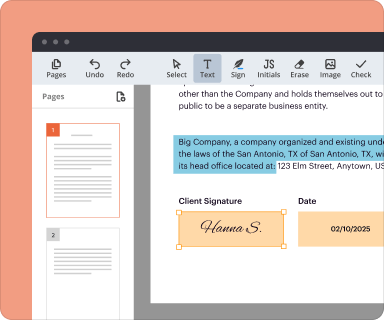
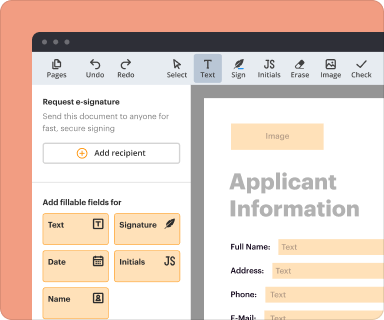
pdfFiller offers a simplified, unified platform to edit, sign, and collaborate on documents, eliminating the hassle of Adobe’s complex software and licenses.
Drop document here to upload
Select from device
Up to 100 MB for PDF and up to 25 MB for DOC, DOCX, RTF, PPT, PPTX, JPEG, PNG, JFIF, XLS, XLSX or TXT
Based on 12500+ reviews
Last updated on Sep 20, 2025

Why switch from Adobe Sign to pdfFiller for effortless document management?

Are you currently using Adobe Sign but feeling limited by its functionalities? Do you want a more collaborative cloud-based document solution that offers eSigning, editing, and management all in one place? If so, pdfFiller might be your perfect alternative.

Discover the advantages of using pdfFiller over Adobe Sign

Are you looking for seamless PDF editing and eSigning? With pdfFiller, users can enjoy smooth document workflows without interruptions.

Imagine having a platform that caters to both personal and professional needs effortlessly. pdfFiller’s built-in features allow users to edit, manage, and sign documents with ease.

  1. 1.
    Full-featured, 100% cloud-based platform: pdfFiller offers a comprehensive cloud-based document management experience, making it easy for users to access their documents from anywhere. This means no more worrying about compatibility or installation issues.
  2. 2.
    Collaborative PDF editing: With pdfFiller, teams can work together in real-time, promoting transparent teamwork and reducing errors. Share your documents easily and ensure that all team members can contribute effectively.
  3. 3.
    Effortless eSigning without extra costs: Forget about hidden fees or additional subscriptions. pdfFiller provides eSigning capabilities included in your plan, allowing you to sign documents without any disruptions.
  4. 4.
    Versatile for any use case: pdfFiller is designed to cater to a variety of users, from individuals handling personal documents to professionals in need of complex workflows. Its numerous built-in options make it an ideal choice for everyone.

Why pdfFiller is rated highly compared to Adobe Sign

Users consistently rate pdfFiller highly for its user-friendly interface and efficient document management features. Many have transitioned from Adobe Sign to pdfFiller, citing smoother eSigning processes and enhanced collaboration. The positive feedback highlights pdfFiller’s ability to adapt to various user needs while maintaining high-performance standards.

Is migrating from Adobe Sign to pdfFiller the right move for your document management?

When considering a switch from Adobe Sign, it’s essential to evaluate the benefits of migration. Users often seek more efficient solutions that not only streamline workflows but also enhance collaboration. Make your eSignature experience effortless with pdfFiller’s advanced features tailored to your needs.

Seamless migration process with pdfFiller

Transitioning to pdfFiller is straightforward, ensuring minimal disruption to your workflows. Here’s how the process works:

  1. 1.
    Easy setup: Create an account on pdfFiller and import your documents from Adobe Sign directly.
  2. 2.
    Quick onboarding: pdfFiller provides tutorials and support to help users adapt quickly to the new platform.
  3. 3.
    Import historical data: All your past documents can be easily migrated to pdfFiller, so you don’t lose any important information.

Enhanced functionalities after migrating to pdfFiller

Switching to pdfFiller unlocks unique functionalities that enrich your document management experience. Users enjoy not only eSigning but also comprehensive PDF editing tools and advanced collaboration features that are unavailable with Adobe Sign. pdfFiller’s all-in-one platform enhances productivity and simplifies your tasks, making it easier to manage documents efficiently.

Comprehensive support throughout your migration journey

pdfFiller provides exceptional customer support to ensure a smooth transition from Adobe Sign. Whether you need assistance with data migration or have questions about using new features, pdfFiller’s dedicated team is here to help. Enjoy peace of mind knowing that expert support is available at every step.

What are the undeniable benefits of migrating to pdfFiller?

By switching to pdfFiller, you will experience numerous advantages that boost your productivity and improve your document-handling processes. The all-encompassing capabilities of pdfFiller allow users to manage and eSign documents seamlessly, effectively replacing Adobe Sign for many users.

  1. 1.
    Comprehensive document management
  2. 2.
    Collaborative tools for teamwork
  3. 3.
    Cost-effective eSigning solutions
  4. 4.
    Robust data security
  5. 5.
    User-friendly interface with flexible options

Take the next step towards efficient document management today! Join countless users who have made the switch and enjoyed the numerous advantages that pdfFiller offers over Adobe Sign. Experience an all-in-one platform designed to meet your needs.

Try these PDF tools

Edit PDF
Quickly edit and annotate PDFs online.
Sign
eSign documents from anywhere.
Request signatures
Send a document for eSignature.
Share
Instantly send PDFs for review and editing.
Merge
Combine multiple PDFs into one.
Rearrange
Rearrange pages in a PDF document.
Compress
Compress PDFs to reduce their size.
Convert
Convert PDFs into Word, Excel, JPG, or PPT files and vice versa.

Why choose pdfFiller over Adobe Sign?

Illustration

Full PDF editing & eSignature

If you're using Adobe Sign, you're limited to just editing fillable fields—unless you're subscribed to Adobe Acrobat. With pdfFiller, fully customize your PDFs and get them ready for signing in no time, no extra tools needed.
Illustration

Simpler interface

Many users agree that pdfFiller is easy compared to Adobe Sign. It lets you manage documents in one flow, so there’s no hassle with re-uploading files or switching between apps.
Illustration

Easier setup & faster time to value

Customers say that getting started with Adobe can be challenging because of its complicated licensing. Learning how to use it also takes a while. With pdfFiller, you can hit the ground running immediately—no training needed.
Illustration

Responsive and reliable support

Adobe's customer support can be slow and rely on automated solutions and community forums. pdfFiller gives you fast, personalized help 24/7, and it won’t cost you extra.
Upload document

User feedback speaks louder than words

This chart represents a partial list of features available in pdfFiller, Adobe Sign
Adobe Sign
Pricing
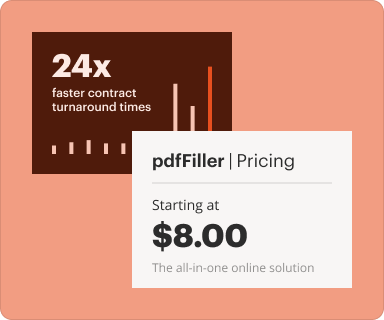
Starting at $8
Starting at $14.99
Star Rating (out  of  5)
4.6
4.4
Ratings
 
 
Meets Requirements
9.3
8.8
Ease of Use
9.1
8.6
Ease of Setup
9.2
8.1
Ease of Admin
9.2
8.2
Quality of Support
8.9
7.9
Has the product been a good partner in doing business?
9.4
8.1
All ratings are sourced from G2 and reflect user evaluations of both products at the time this page was published.

Switching from Adobe Sign to pdfFiller? Here’s what you’re getting

Everything you need to handle PDFs

Edit, annotate, organize, convert, and securely store documents in the cloud. Drag-and-drop to adjust agreements, complete forms, create fillable PDFs, and more.

Screen

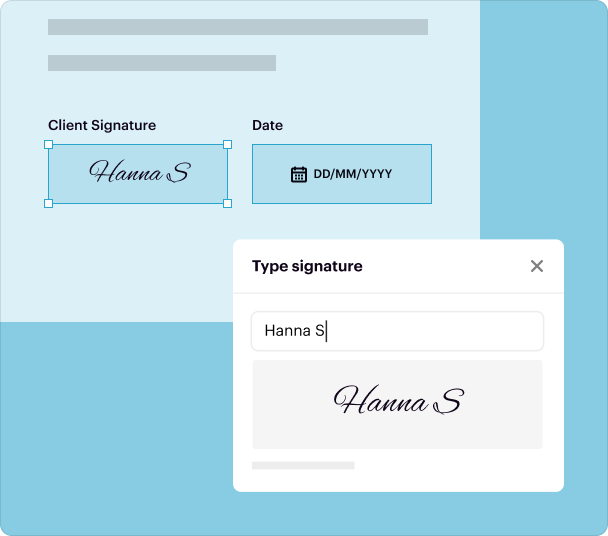
Built-in eSignature & data collection

Send documents for signing right after editing. Collect surveys and applications using online fillable forms you can share instantly via links.
Screen

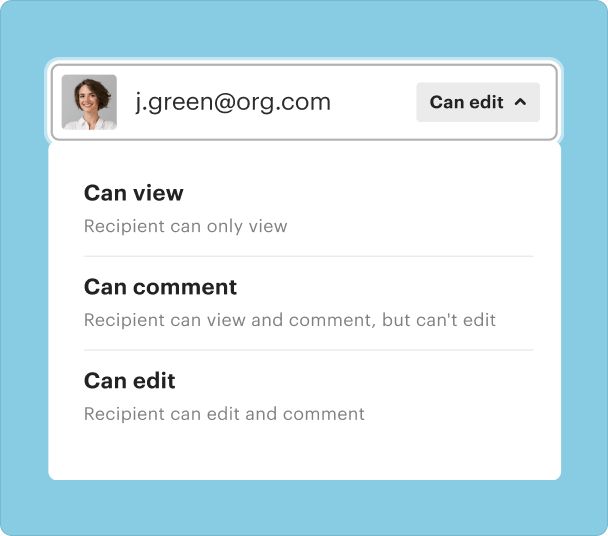
Easy sharing & collaboration

Don’t just share edited documents—let anyone make changes and leave feedback. Set up a team workspace to share templates, collaborate on PDFs, and track documents in one place.
Screen

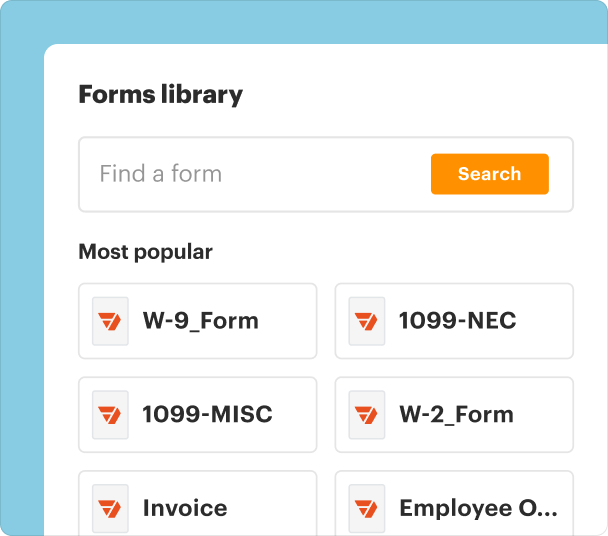
Forms library

Access a huge library of ready-to-use templates. From tax forms to state-specific legal documents, find what you need and customize in seconds.
Screen

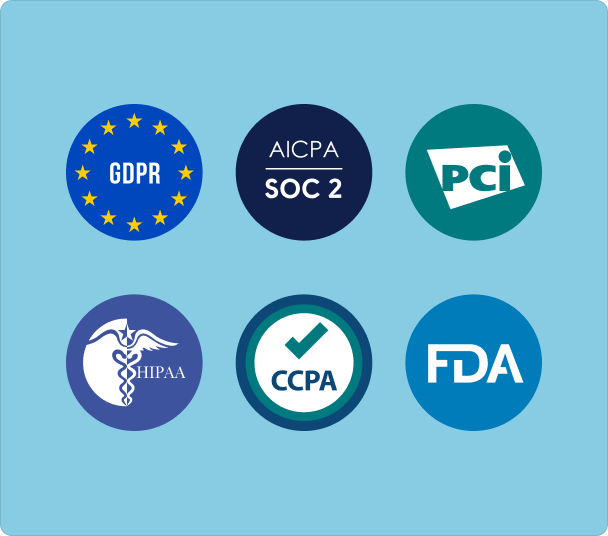
Uncompromising security

Edit, share, and store documents without worrying about data safety. pdfFiller complies with global security standards like HIPAA, GDPR, PCI DSS, and SOC 2 Type II to protect your data.
Screen

pdfFiller scores top ratings on review platforms

Users Most Likely To Recommend - Summer 2025
Grid Leader in Small-Business - Summer 2025
High Performer - Summer 2025
Regional Leader - Summer 2025
I am so happy that I found this. It makes completing so many forms so much easier. Additionally, I've got forms that must be completed that are now no longer fillable through the agency that created them. This will allow me to continue to fill the forms.
Maria S
it's a little bit too expensive for me. I will not have to use it very often, maybe only once or twice a month for work, but i do require the premium package for all of the features that i need to have. so it just seems crazy to me to pay almost $200 a year for something im only going to use 24 times the whole year. other than the too high price, i think its a great program!
Tracie P
So easy to use and super convenient It's great to use. I love how easy it is to edit documents and it saves me time. I wish a few more features are allowable before having to upgrade.
Ruth K.
Confusing to learn and there is a lot to learn. There is no simple way to learn that I can see . I contacted support but it is only a way to answer one question at a time . While I might recommend it to someone , it would be with caution about how complicated it is
SueBo
Love pdfFiller experience. Since day one this software provided a very intuitive interface for me. I never had a reason to call tech support or customer center. Good job Guys!!! My business has never been interrupted. Thank you for providing a very much value.
SergeiV
I needed to print a Medicare form. Had some issues with printing--only the part I'd typed printed. I opened the chat window. Sam responded, answered my questions quickly, sent me a screenshot of the adjustment I needed to make to the print instructions. From there, everything turned out very well. Thank you Sam!
Deborah K
Show more Show less
Illustration

Scaturro Insurance Agency LLC

Fumbling along with Adobe Acrobat or hand-writing forms was time-consuming, sloppy, and completely inefficient—especially if changes or updates were needed. We are going to continue to use pdfFiller and find additional uses for the product as our business grows.
Joe Scaturro, Owner
Read full story
Illustration

Marshall Orthopaedics

pdfFiller saves us $100 or more each workday when you factor in employee time and supplies. The figure is probably higher than that, since the waiting time for patients not yet seen is also diminished, which keeps the patient from being frustrated and just leaving before their visit.
Douglas A. Waldman, MD
Read full story
Illustration

Vallon Consulting LLC

I needed a platform that could merge documents together, edit them, sign them, then email or fax them. Ideally, all in one. I was introduced to pdfFiller last year. So I just went and got an account for myself, and have been using pdfFiller ever since.
Rowena Thornton, CEO and Managing Director
Read full story

FAQs

If you can't find what you're looking for, please contact us anytime!
pdfFiller provides a comprehensive document management experience that allows users to edit, sign, and manage documents all in one seamless platform. Unlike Adobe Sign, which primarily focuses on e-signatures, pdfFiller enables users to modify documents before distribution, eliminating the need for multiple tools. Additionally, pdfFiller's cloud-based accessibility ensures that documents can be accessed and edited from any device, streamlining workflows for teams. Pro Tip: Take advantage of pdfFiller's integrations with popular tools to enhance your document management further.
When it comes to security, pdfFiller stands out with its stringent protocols, including SOC 2 Type II and HIPAA compliance. While Adobe Sign provides standard encryption, pdfFiller takes an extra step with comprehensive security features that protect sensitive information throughout the document lifecycle. This robust security framework helps users feel confident about managing critical documents in a secure environment. Pro Tip: Always check the security features of any document management solution to safeguard your data effectively.
Cost considerations can play a significant role for businesses evaluating Adobe Sign against pdfFiller. pdfFiller’s pricing structure often proves more budget-friendly, particularly for organizations needing the full spectrum of document editing, signing, and management functionalities. Users can access these integrated features without the additional expense of multiple subscriptions, making pdfFiller a more economical choice in the long run. Pro Tip: Review your organization's usage patterns to maximize your investment in document management tools.
pdfFiller offers an intuitive user interface designed to accommodate users of all experience levels, simplifying document workflows. In contrast, Adobe Sign can sometimes have a steeper learning curve due to its extensive toolset focused primarily on electronic signatures. pdfFiller’s straightforward platform allows for quicker onboarding, reducing the time spent training staff. Pro Tip: Familiarize your team with the interface features to ensure efficient document handling and increased productivity.
pdfFiller excels in offering advanced form-building capabilities, allowing users to create custom forms tailored to specific needs. This flexibility is often absent in Adobe Sign, which is limited primarily to signature functionalities. pdfFiller's range of customizable options enables businesses to streamline data collection and optimize workflows effectively. Pro Tip: Utilize the form-building feature to capture important information seamlessly while keeping your processes organized.
With pdfFiller, users enjoy cross-platform versatility, allowing them to edit, sign, and manage documents from various devices without any disruption to their workflow. Adobe Sign, while accessible, might lack the same level of cross-device functionality, particularly in mobile settings. pdfFiller is optimized for use on a range of devices, ensuring that users can stay productive regardless of their location. Pro Tip: Test how your document management solution performs on all devices to ensure a smooth user experience.
pdfFiller's automation capabilities provide a robust solution for organizations looking to streamline their business processes beyond e-signatures. While Adobe Sign focuses primarily on signing documents, pdfFiller allows for end-to-end automation, reducing manual task workload and improving efficiency. Users can set up workflows that automatically route documents to the right stakeholders, optimizing operations significantly. Pro Tip: Explore the automation features in your tool to increase overall efficiency and reduce processing times.

Ready to switch to pdfFiller?

Try it for free for 30 days and see the difference.
Upload your document
Rate this tool
4.4
satisfied
51 votes