Form preview

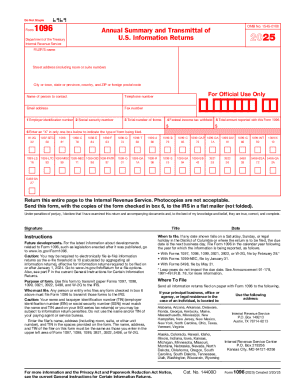
IRS 1096 2016 free printable template


Get Form
pdfFiller is not affiliated with IRS
Screenshot
Screenshot
Screenshot

Get, Create, Make, and Sign IRS 1096

Edit your IRS 1096 online
Type text, complete fillable fields, insert images, highlight or blackout data for discretion, add comments, and more.
Screenshot
Add your legally-binding signature
Draw or type your signature, upload a signature image, or capture it with your digital camera.
Screenshot
Share your form instantly
Email, fax, or share your IRS 1096 via URL. You can also download, print, or export forms to your preferred cloud storage service.
Screenshot

Instructions and Help about IRS 1096

How to edit IRS 1096

To edit IRS 1096, you can utilize tools like pdfFiller that allow for easy adjustments to PDF documents. Simply upload the form to the platform, make necessary changes, and save or print the updated version. Ensure all data is accurate before submitting the form to avoid potential penalties.

How to fill out IRS 1096

Filling out IRS 1096 requires providing essential information accurately. Follow these steps:
01
Obtain a copy of IRS 1096 from the IRS website or through your tax professional.
02
Provide your name, address, and employer identification number (EIN).
03
Report the total number of forms being submitted and their total dollar amount.
04
Sign and date the form to certify that the information is correct.

About IRS previous version

What is IRS 1096?

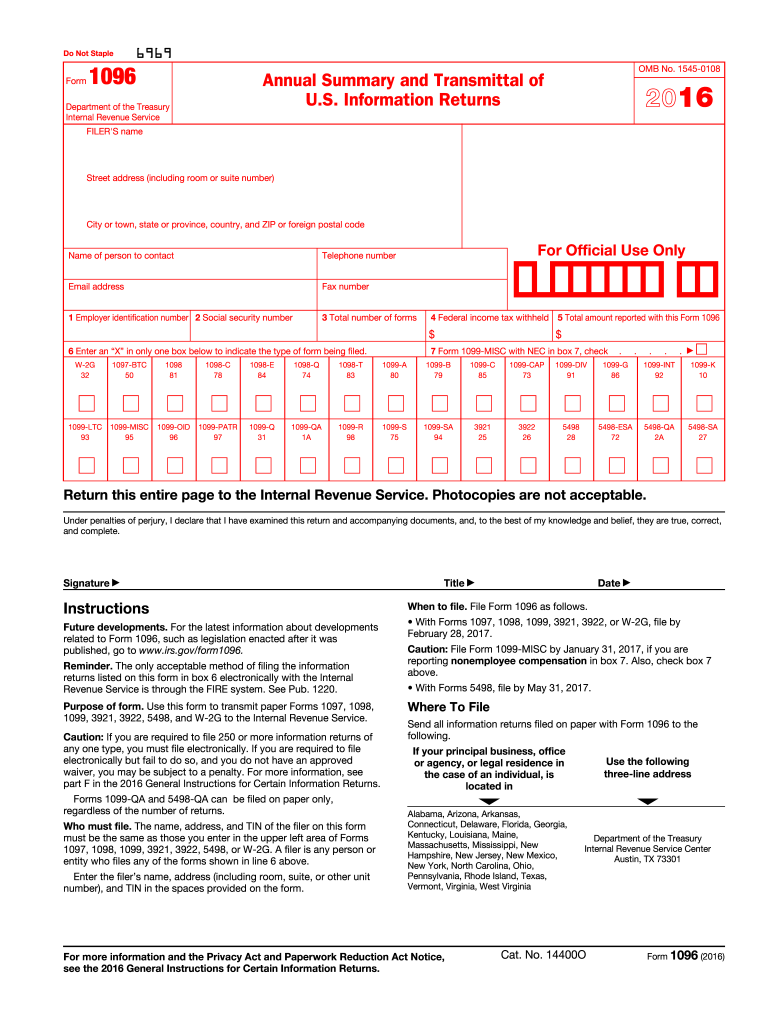
IRS 1096 is a tax form used by U.S. businesses to report information about various types of payments made throughout the tax year. It serves as a summary of forms submitted to the IRS, particularly those in the 1099 series, which report income other than wages.

Who needs the form?

Businesses and entities required to report payments made in the course of their operations must file IRS 1096. This includes sole proprietors, partnerships, corporations, and non-profit organizations that have issued certain types of payments to individuals or other businesses during the tax year.

Components of the form

IRS 1096 includes several key components, including details about the filer, total amounts reported, and the number of forms being submitted. Each section must be accurately filled out, ensuring that the summary corresponds with individual 1099 forms submitted. Any discrepancies could lead to issues during IRS audits.

What information do you need when you file the form?

When filing IRS 1096, you need the following information:
01
Your business name and address.
02
Employer Identification Number (EIN).
03
Total number of 1099 forms you are submitting.
04
Total amount reported on these 1099 forms.

Where do I send the form?

The destination for sending IRS 1096 depends on the state and whether you are filing electronically or by mail. If filing by mail, refer to the IRS instructions relevant to the specific year of the form to determine the correct address. Ensure that all forms are sent to the appropriate location to avoid delays or misfiling.

What is the purpose of this form?

The purpose of IRS 1096 is to summarize and transmit information returns to the IRS. This form is essential for the proper documentation of payments made to contractors, freelancers, or other entities not classified as employees. Accurate submission of IRS 1096 helps ensure compliance with federal tax laws.

When am I exempt from filling out this form?

You may be exempt from filling out IRS 1096 if your entity does not have any 1099 forms to report or if your reporting falls below the threshold established by the IRS for specific payment types. These exemptions can vary, so it's advisable to check IRS guidelines for your situation.

What are the penalties for not issuing the form?

Failure to issue or file IRS 1096 can result in penalties from the IRS. Common penalties include fines for each instance of failure to file or late filing. These penalties can escalate based on the duration of the delay and the size of your organization. It's vital to understand the implications and adhere to filing deadlines.

Is the form accompanied by other forms?

IRS 1096 should be accompanied by all relevant 1099 forms when submitted. Each 1099 form reports specific payments, and IRS 1096 serves to summarize these submissions. The accurate filing of both ensures compliance and can reduce the likelihood of audits or penalties.

FAQ about IRS 1096

If you discover a mistake after submitting your 1096 2016 form, you must file a corrected version. Be sure to check the IRS guidelines for amendments to ensure proper handling, as you'll need to indicate that it is a correction. Keep records of both the erroneous and corrected forms for your files.

To verify the receipt and processing status of your 1096 2016 form, reach out to the IRS directly. They can confirm whether your submission was received and if any issues have arisen. If you filed electronically, make sure to track any confirmation you received upon submission.

Common mistakes with the 1096 2016 form include incorrect TINs or EINs, improper totals, and failure to check all necessary boxes. To avoid these errors, double-check all entries against your records and ensure you follow the latest IRS specifications for this form.

Yes, e-signatures are accepted for the 1096 2016 form when filed electronically. Ensure that your e-signature meets the IRS standards for authenticity and security, and retain a copy of your e-signature verification for your records.

If you receive a notice regarding your 1096 2016 form, carefully read the notification to understand the issue. Typically, you will need to respond promptly and provide any requested information. Keep documentation regarding your submission, including the original and any correspondence with the IRS.

See what our users say

Read user feedback and try pdfFiller to explore all its benefits for yourself
EASY TO USE
GOODLUCK I
Satisfied
Poulin M
See what our users say
Trust Seal
Trust Seal
Trust Seal
Trust Seal
Trust Seal
Trust Seal
Trust Seal
Trust Seal
Rate free form
4.4
satisfied
146 votes
If you believe that this page should be taken down, please follow our DMCA take down process here .
This form may include fields for payment information. Data entered in these fields is not covered by PCI DSS compliance.